
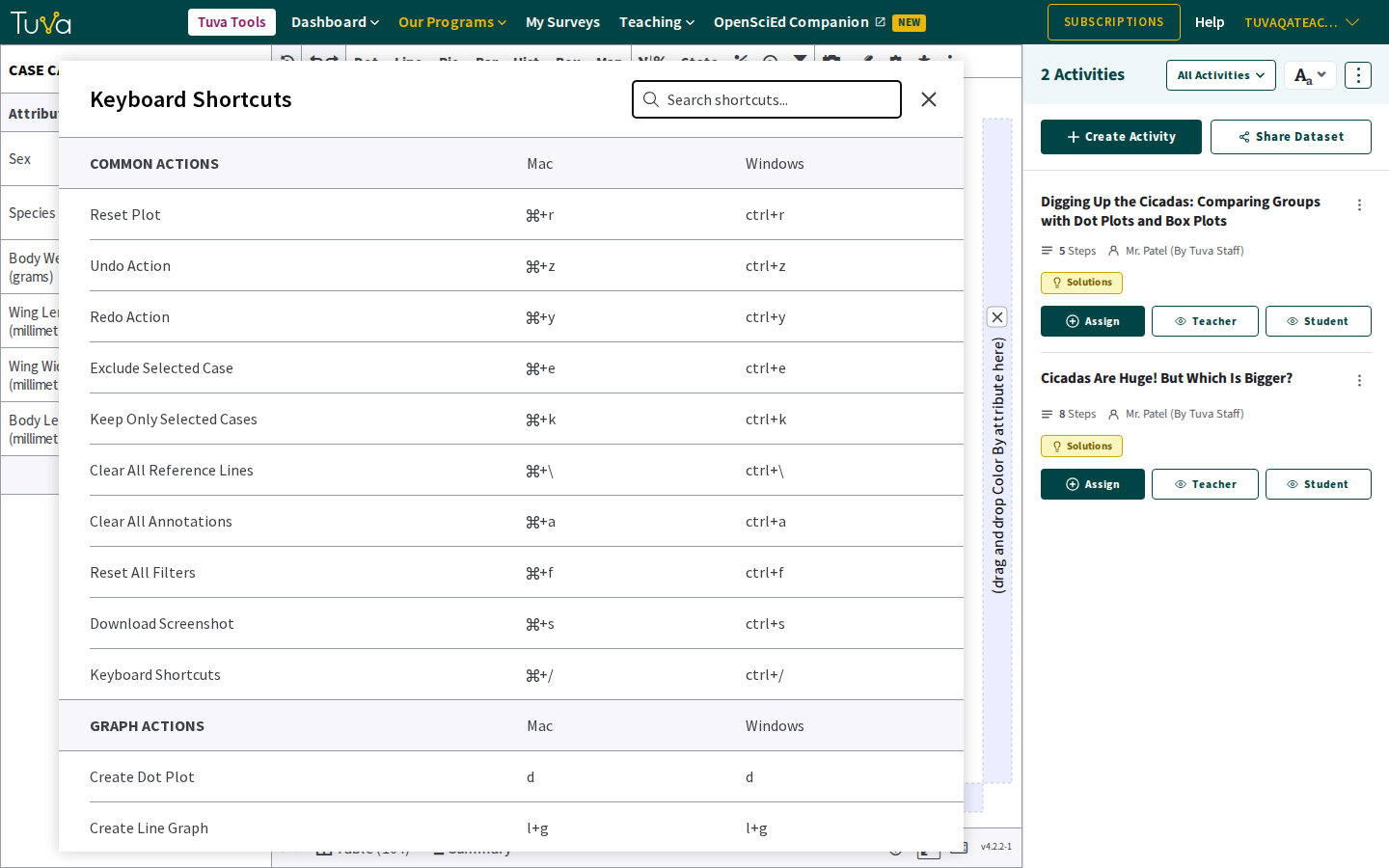
The full, current list lives in the tools themselves: click the keyboard icon in the bottom right corner of the interface, or press Cmd+/ (Mac) or Ctrl+/ (Windows). It has a search box, and it is the authority — this page can go out of date, that popup cannot.
Common actions
Section titled “Common actions”| Action | Mac | Windows |
|---|---|---|
| Reset plot | Cmd+r | Ctrl+r |
| Undo | Cmd+z | Ctrl+z |
| Redo | Cmd+y | Ctrl+y |
| Exclude selected case | Cmd+e | Ctrl+e |
| Keep only selected cases | Cmd+k | Ctrl+k |
| Clear all reference lines | Cmd+</kbd> | Ctrl+</kbd> |
| Clear all annotations | Cmd+a | Ctrl+a |
| Reset all filters | Cmd+f | Ctrl+f |
| Download screenshot | Cmd+s | Ctrl+s |
| Open this list | Cmd+/ | Ctrl+/ |
Graph actions
Section titled “Graph actions”Single letters, no modifier — so they work only when focus is not in a text field.
| Action | Key |
|---|---|
| Create dot plot | d |
| Create line graph | l+g |
The popup lists more graph types, and four further sections this page does not reproduce: Data Analysis Actions, Navigation, Accessibility & Settings, and Rounding.
Moving around without a mouse
Section titled “Moving around without a mouse”The tools have three regions: the case card on the left, the toolbar across the top, and the plotting area in the middle. Tab order runs case card → toolbar → plotting area.
| Key | What it does |
|---|---|
| Tab | Move to the next button, control or field |
| Shift+Tab | Move to the previous one |
| Arrow keys | Move within a menu, a text field or a radio group |
| Enter or Space | Activate whatever has focus |
| Esc | Close an open menu |
Tab moves between three regions: the case card, the toolbar and the plotting area. (The interface tour describes five regions in all; the table view and activity panel are reached the same way once they are open.)
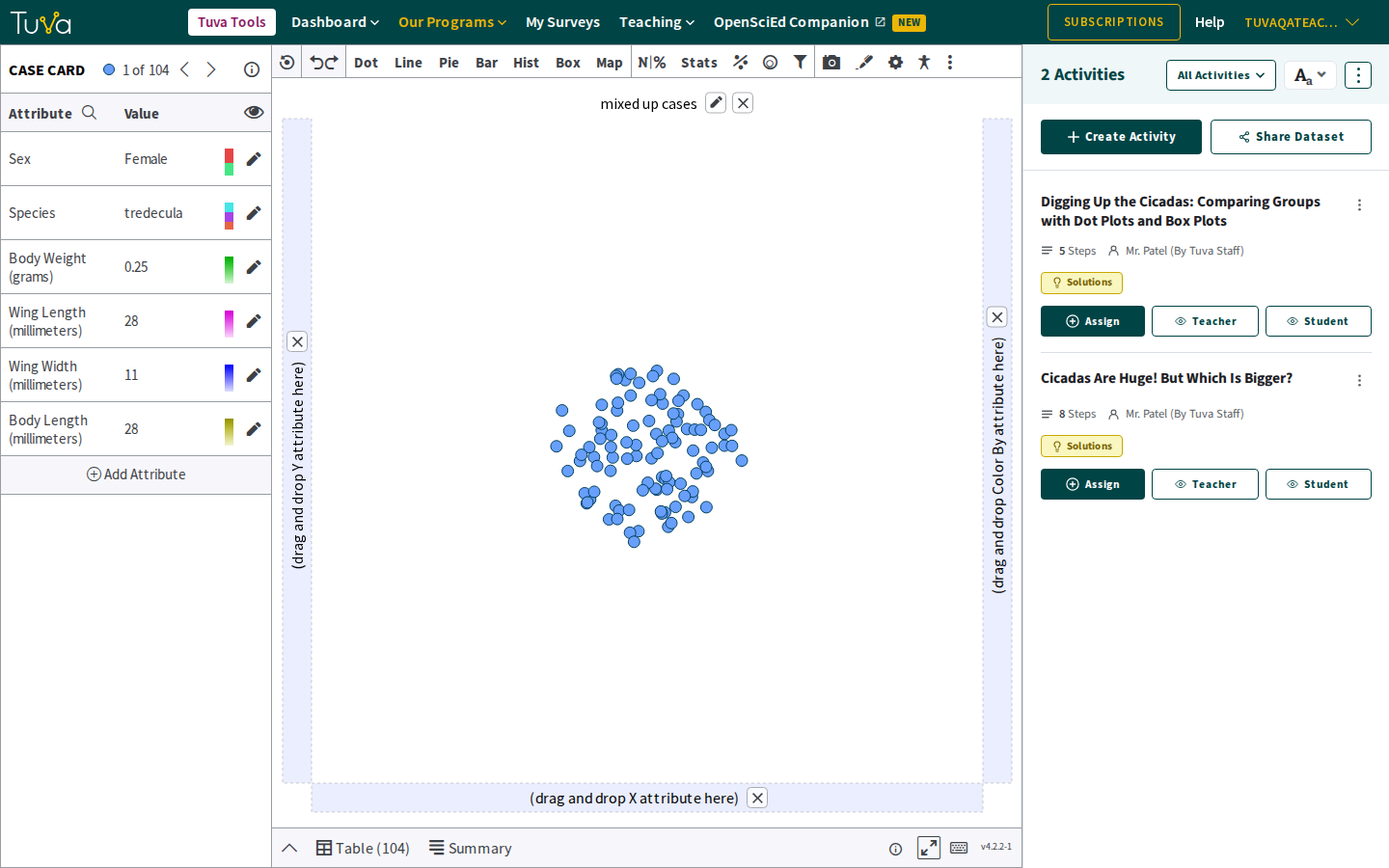
By default, tabbing into the case card reaches an Edit … Attribute button for each attribute.
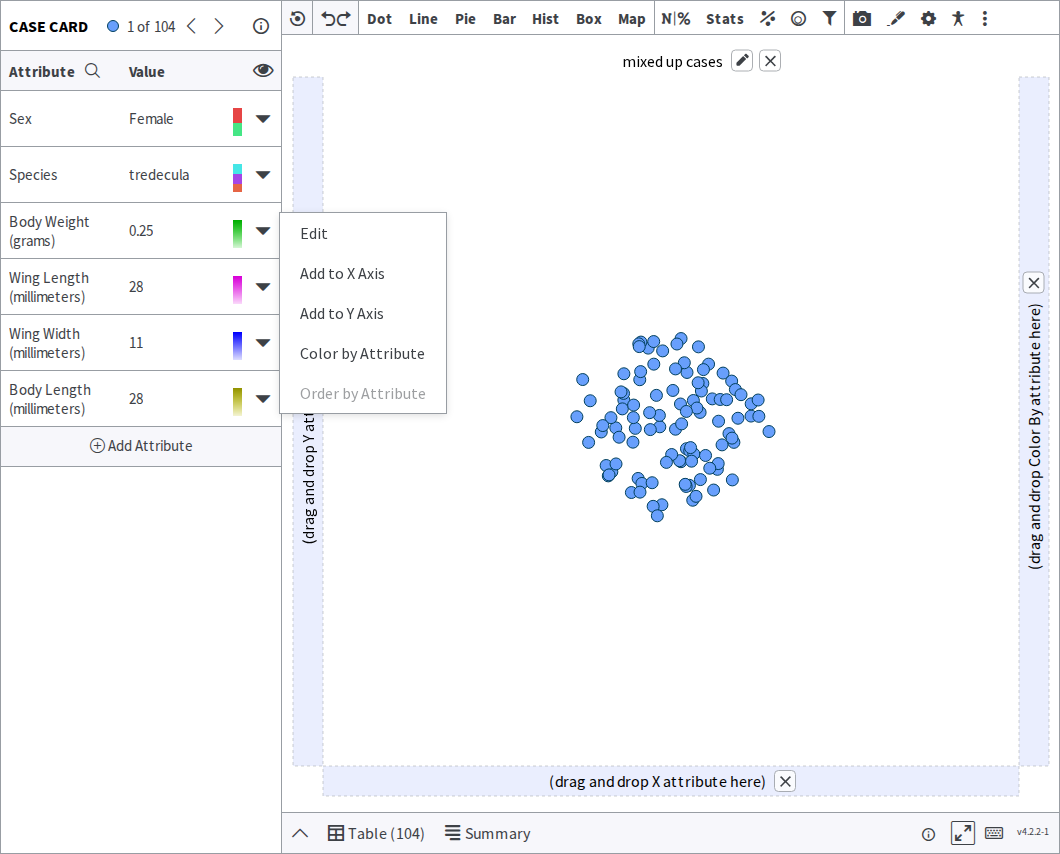
With Attribute Keyboard Support switched on, each attribute carries a caret instead, and opening one gives Edit, Add to X Axis, Add to Y Axis, Color by Attribute and Order by Attribute:
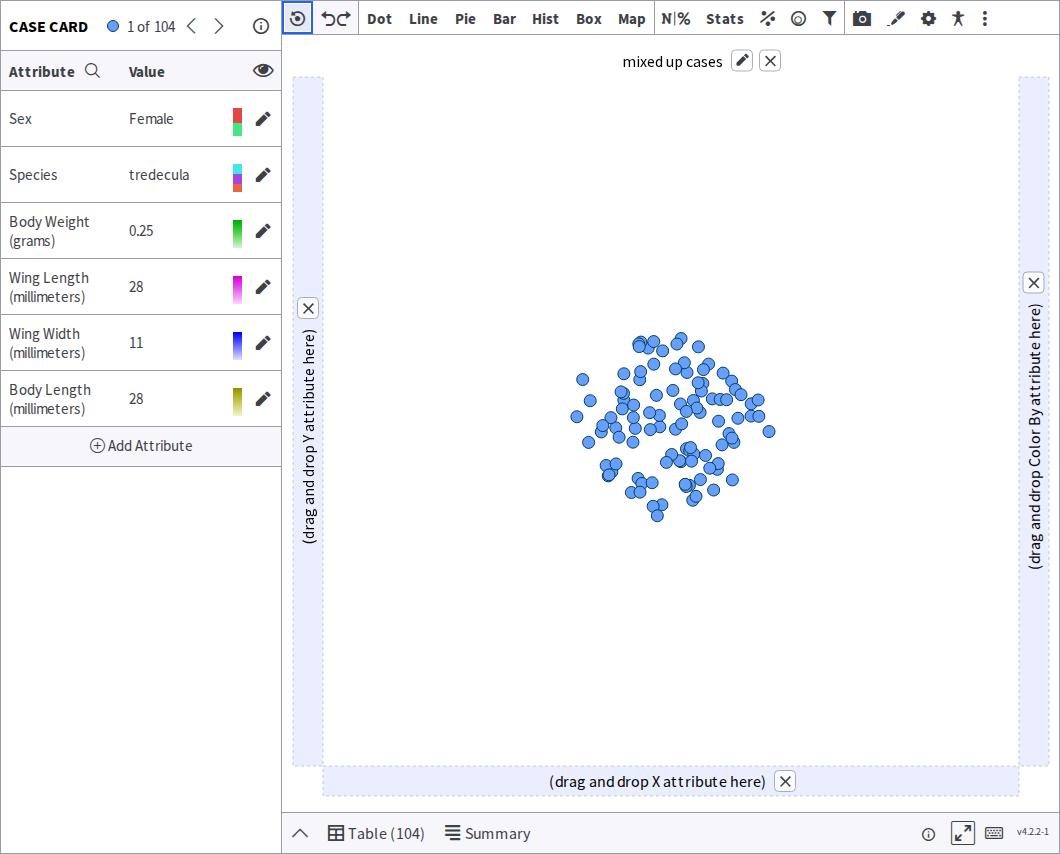
Tabbing on from the case card reaches the toolbar, where the same keys open and move through each menu. Whatever has focus is drawn with a focus ring:
A demonstration
Section titled “A demonstration”Was this page helpful?
This opens the ticket form with your comment and a link to this page, so we can reply to you.
Submit a ticket