
What is the Analytics Dashboard?
Section titled “What is the Analytics Dashboard?”The school and district analytics dashboard will give you insight into how your school and district is using Tuva. On the dashboard you will see the number of teachers with Tuva accounts, the number of students with Tuva accounts, the number of activities assigned by teachers to their students, and the number of datasets uploaded and analyzed by teachers and their students.
How to Access the Analytics Dashboard
Section titled “How to Access the Analytics Dashboard”School administrators may request access to view analytics for their school and district. If you’re a school administrator and would like access, please reach out to us at support@tuvalabs.com.
Once you’re account is set up as a school administrator within our system, please follow the steps outlined below to find the analytics dashboard.
- After logging into Tuva, go to your profile page by clicking on profile from the dropdown menu available in the top right.

- Now that you’re on your profile page, please click the organization link shown in the screenshot below.
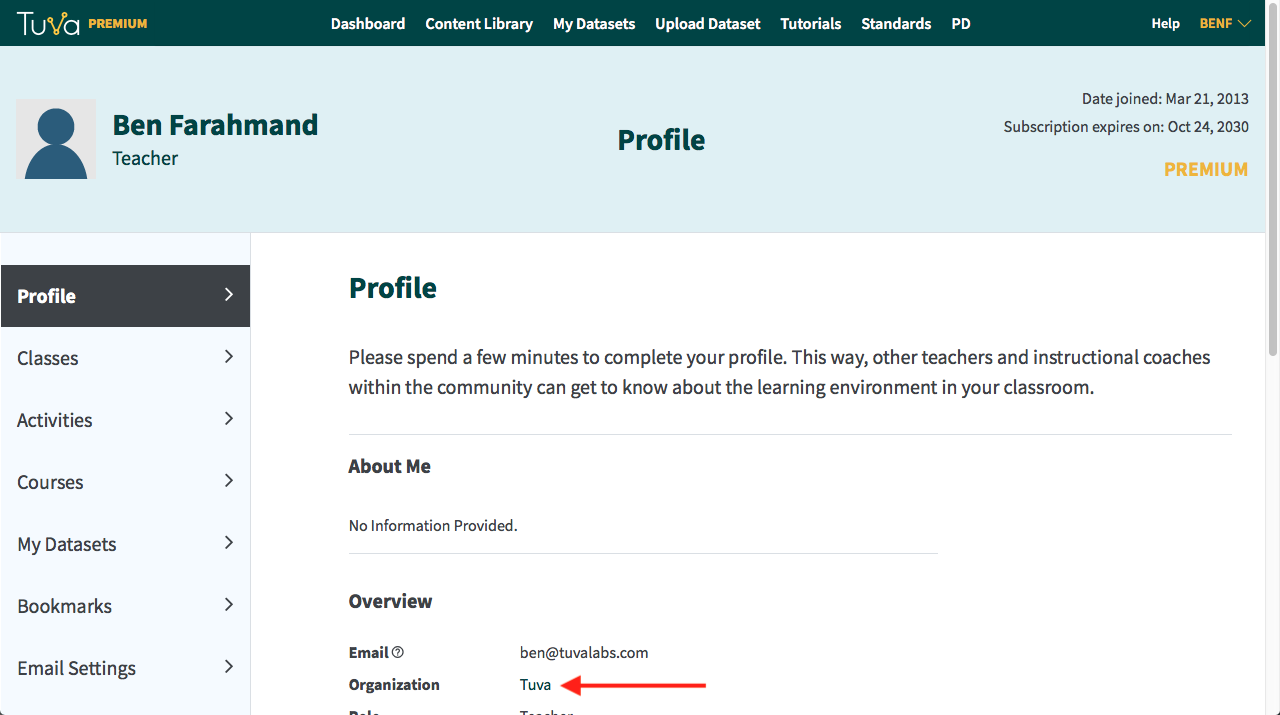
- Clicking the organization link will land you on the page displaying your school’s analytics. Then, if your school is part of a district within our system, you may click to view the district dashboard.
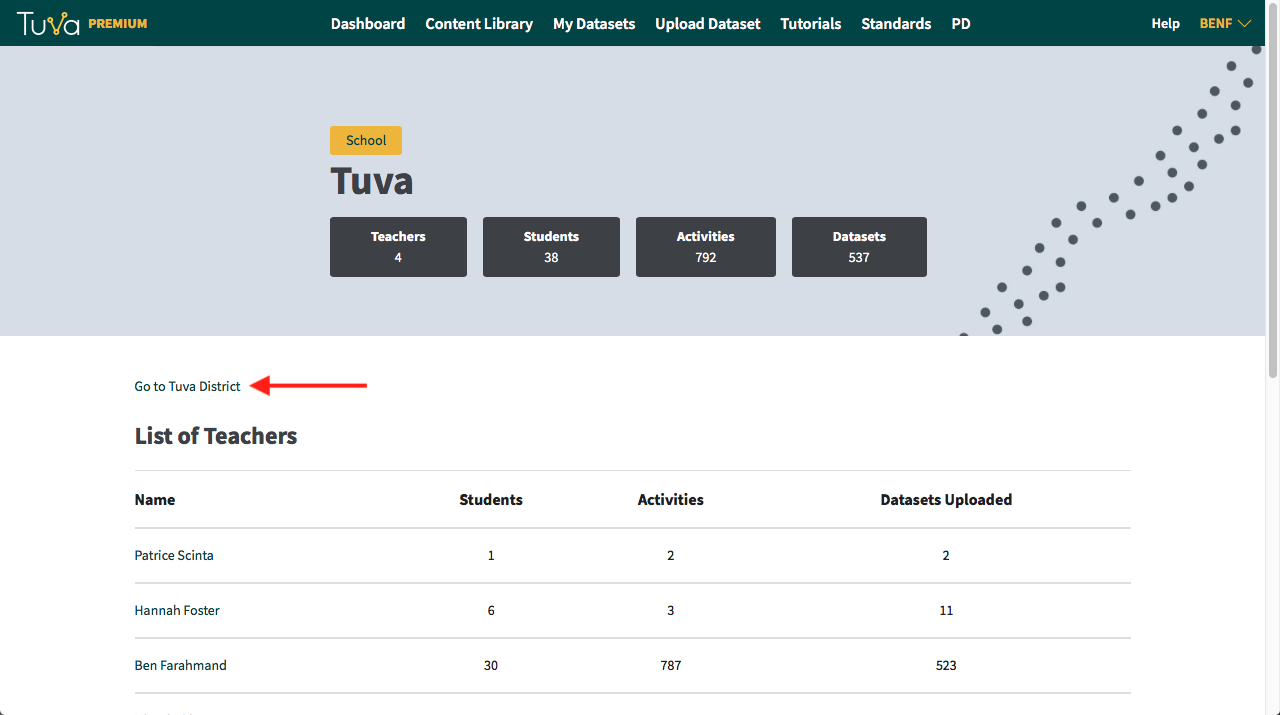
Note: If you’re school is supposed to be part of a district and you do not see the district link as shown in the screenshot above, please contact us at support@tuvalabs.com. - Once you’re viewing the district dashboard, you will see other schools that have joined Tuva. From here, you may click through to any of the schools in your district to see the analytics dashboard for that school.
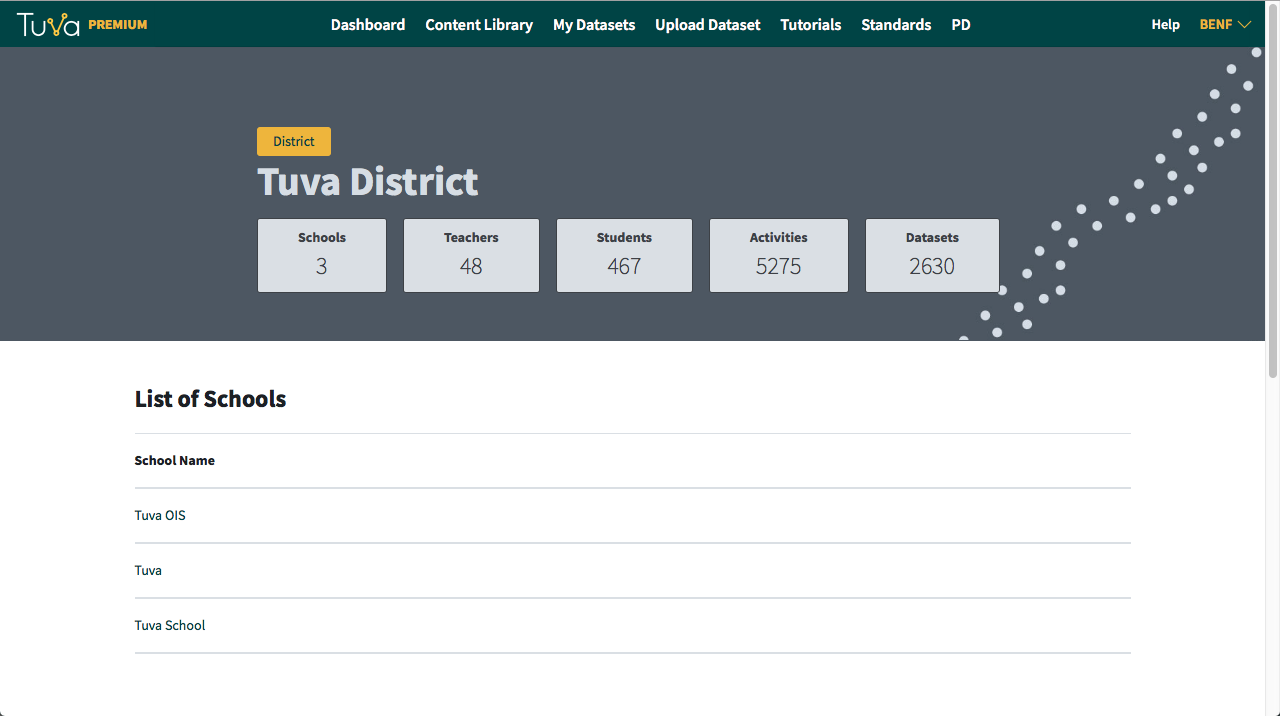
Note: If a school is missing from your district and they should be in the school list, please contact us at support@tuvalabs.com.
See also Add your school, get admin access, and see other teachers’ classes.
Was this page helpful?
This opens the ticket form with your comment and a link to this page, so we can reply to you.
Submit a ticket