
The Month-Year attribute type in Tuva provides users with greater flexibility when working with time-series data. It allows users to source and use data from different sources without the need for extensive data manipulation before uploading.
This article aims to explain the Month-Year attribute type in Tuva, including the different supported formats that Tuva can recognize and render accurately, as well as highlighting some non-supported formats that users should avoid when working with month-year data.
Key Supported Formats
Section titled “Key Supported Formats”The Tuva tool recognizes and renders various month-year formats, making it convenient for users to work with different date representations. Here are a few key formats that are currently supported:
-
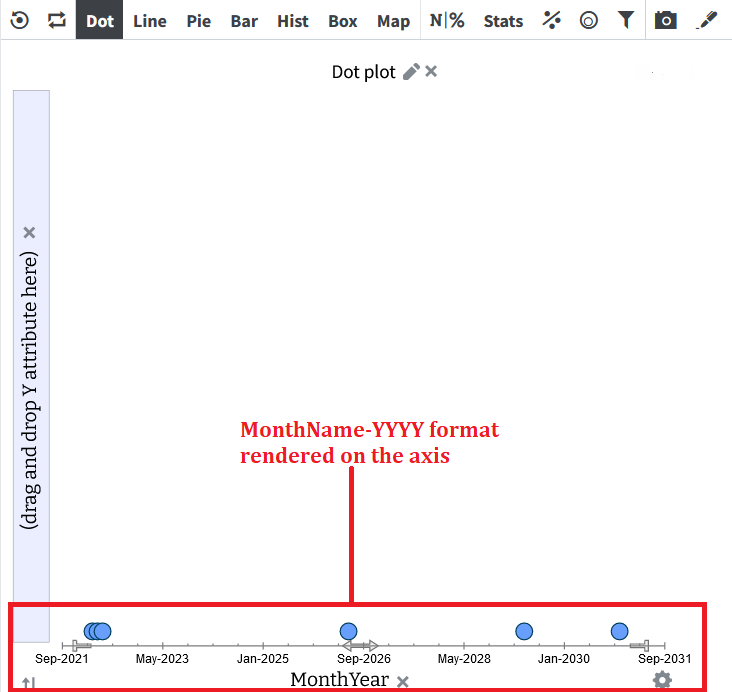
MonthName-YYYY and YYYY-MonthName Formats
Section titled “MonthName-YYYY and YYYY-MonthName Formats”
Tuva recognizes the MonthName-YYYY and YYYY-MonthName formats based on the following conditions:
- Month Name: The Month Name can be either the full month name (in upper or lower case) or an abbreviation with three or more letters. For example, “Sep,” “sept,” or “September” will be recognized, but not “Se” or “Septe.”
- Separator: The separator between the month and year can be a dash, slash, comma, space, or comma followed by a space. For example, “Jan-1900,” “Jan/1900,” “Jan 1900,” “Jan,1900,” or “Jan, 1900” will be recognized.
- Year: The year must be represented with four digits, ranging from 0001 to 9999.
-
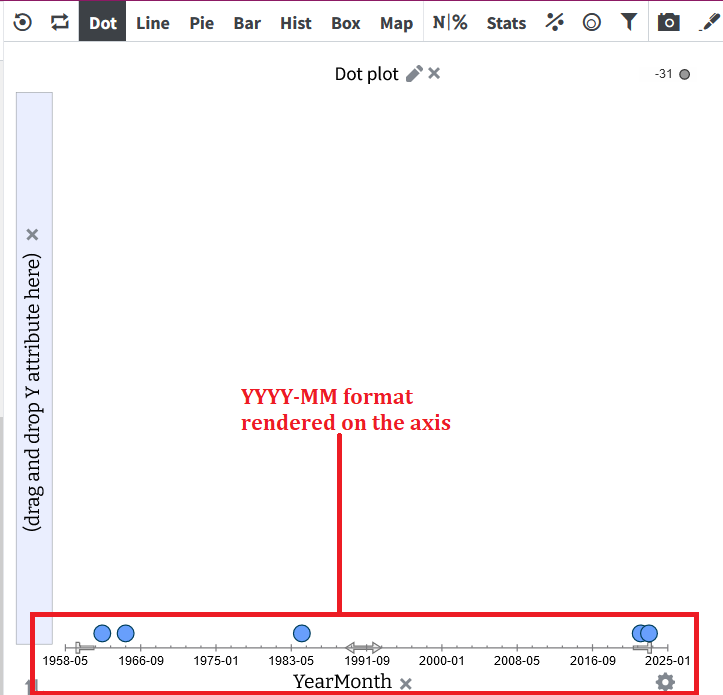
YYYY-MM and MM-YYYY Formats
Section titled “YYYY-MM and MM-YYYY Formats”
The Tuva tool also recognizes the YYYY-MM and MM-YYYY formats based on the following conditions:
- Month: The month can be represented with either one or two digits.
- Separator: The separator between the month and year can be a slash, dash, or period.
- Year: Similar to the previous format, the year must be represented with four digits, ranging from 0001 to 9999.
Examples of Supported Formats
Section titled “Examples of Supported Formats”To provide a better understanding, here are a few examples of month-year formats that are recognized by Tuva:
- 04/2022: This format represents April 2022 and is recognized by Tuva.
- 04-2022: Similar to the previous example, this format also represents April 2022 and is recognized.
- 04.2022: Once again, this format represents April 2022 and is recognized.
It’s important to note that a leading zero on the month is optional. Both “04/2022” and “4/2022” will be recognized by Tuva.
Unsupported Formats with Examples
Section titled “Unsupported Formats with Examples”While Tuva supports various month-year formats, it’s essential to be aware of the formats that are not valid. Here are a few counter-examples of invalid month-year or year-month values:
- 01/02: This format is not valid as it doesn’t include four digits for the year, making it unclear which part represents the year.
- 1/2022: Similarly, this format is not recognized as it lacks the necessary two-digit representation for the month.
- 2022/01/15: This format represents a specific date rather than a month-year, and Tuva focuses specifically on month-year attributes.
- March.2022: The use of the wrong separator (period) in this format makes it invalid for the month-year attribute type.
Was this page helpful?
This opens the ticket form with your comment and a link to this page, so we can reply to you.
Submit a ticket