
Sometimes you’ll come across a dataset you want to save for later, bookmarking it is the easiest way to find it again.
Save a bookmark
Section titled “Save a bookmark”-
We’ll use the Dinosaurs Tuva Dataset as an example.
-
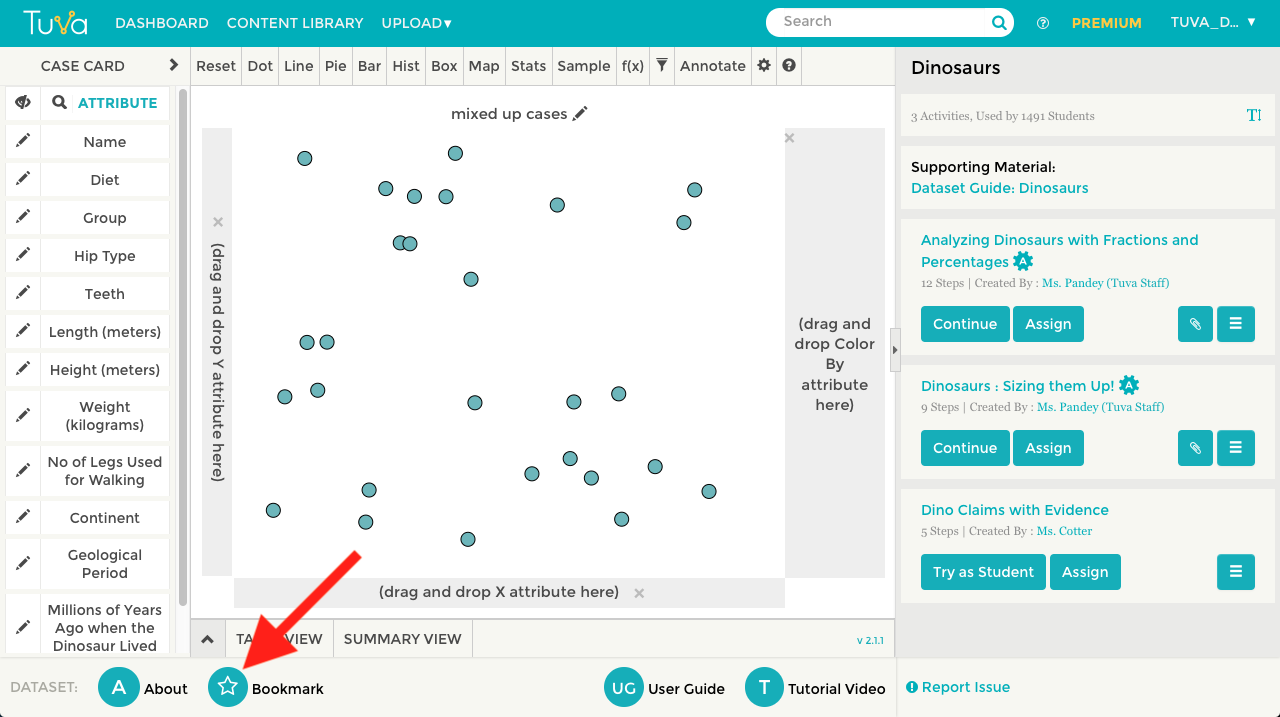
Along the bottom of the screen you will see a button with a star icon in it with the text “Bookmark.”
-
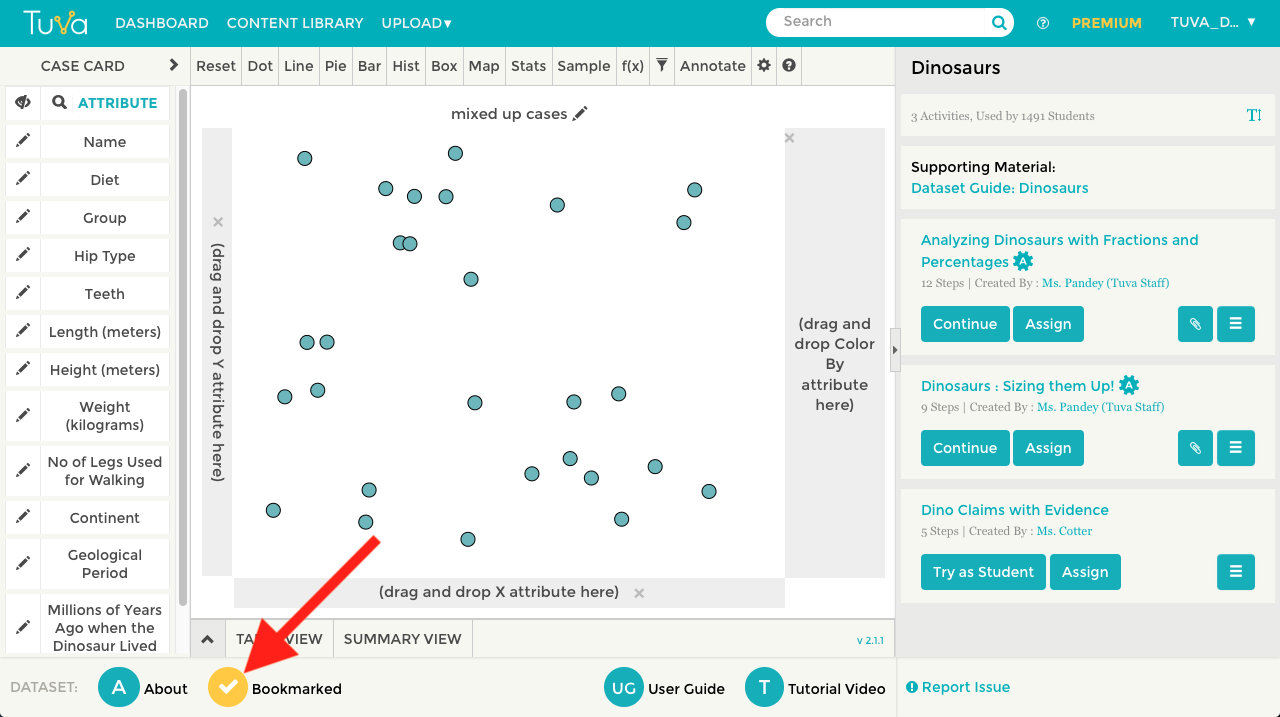
Click the button “Bookmark” to save this dataset to your bookmarks. Notice the star icon changes to a checkmark, confirming that it has been saved to your bookmarks.
Find your bookmarks
Section titled “Find your bookmarks”-
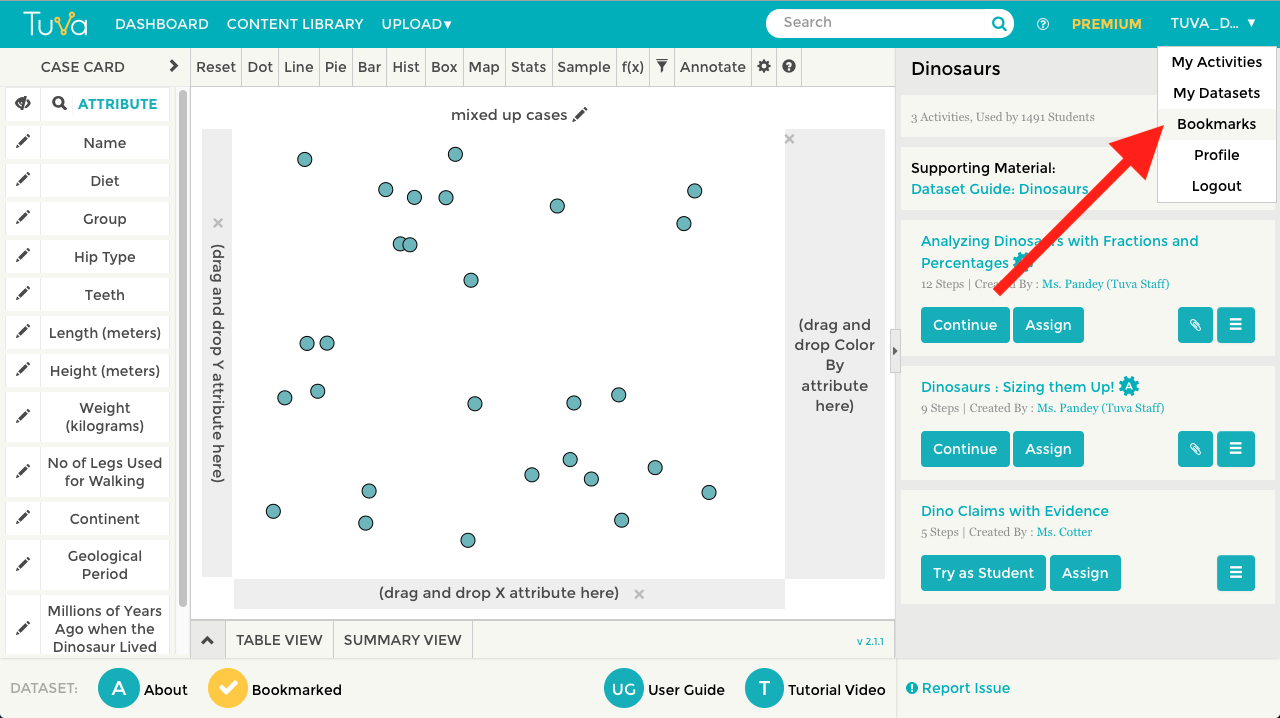
To find your bookmarked datasets, you’ll have to go to your profile. Your profile can be accessed from the right side of the navigation menu on the top of the screen by hovering or clicking on your username and then clicking “Profile.”
-
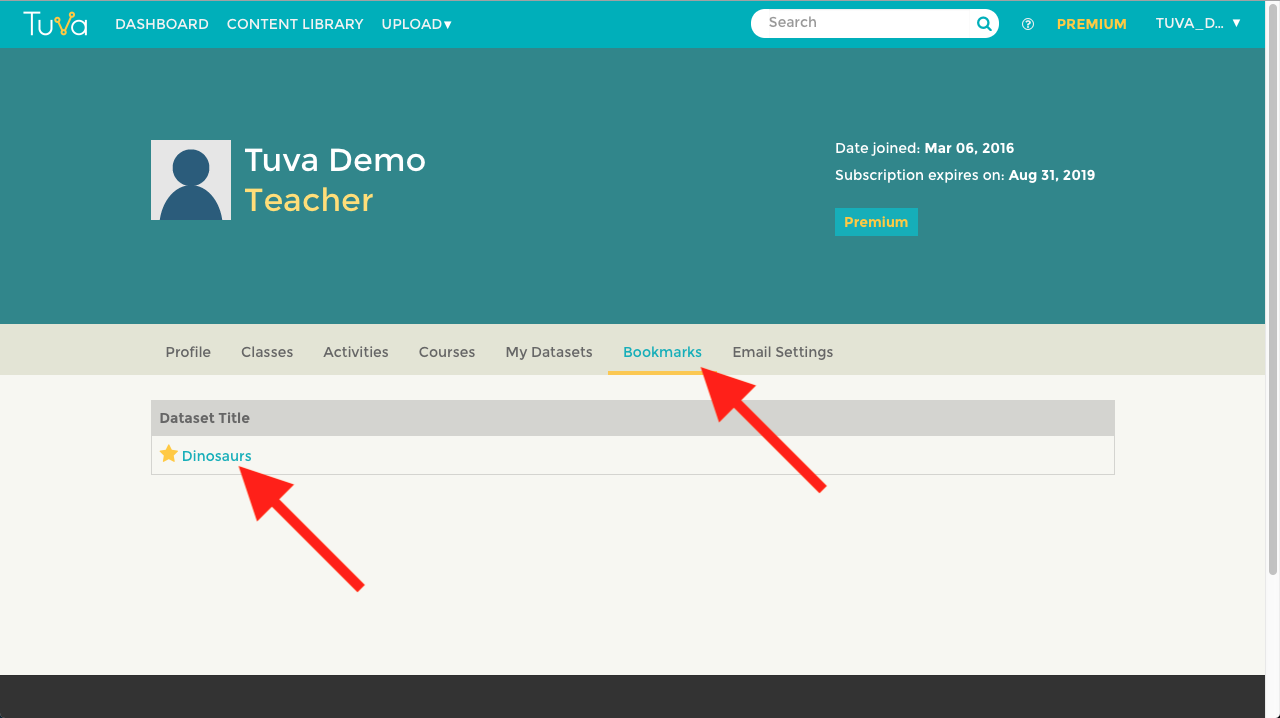
Click on the tab labeled “Bookmarks” in order to see a list of all your bookmarked Tuva Datasets.
-
Click on the title of a dataset from your Bookmark list to open that specific dataset.
Was this page helpful?
This opens the ticket form with your comment and a link to this page, so we can reply to you.
Submit a ticket