
The camera button in the toolbar saves a picture of the plot you are looking at, for pasting into a worksheet, a slide deck or a document.
-
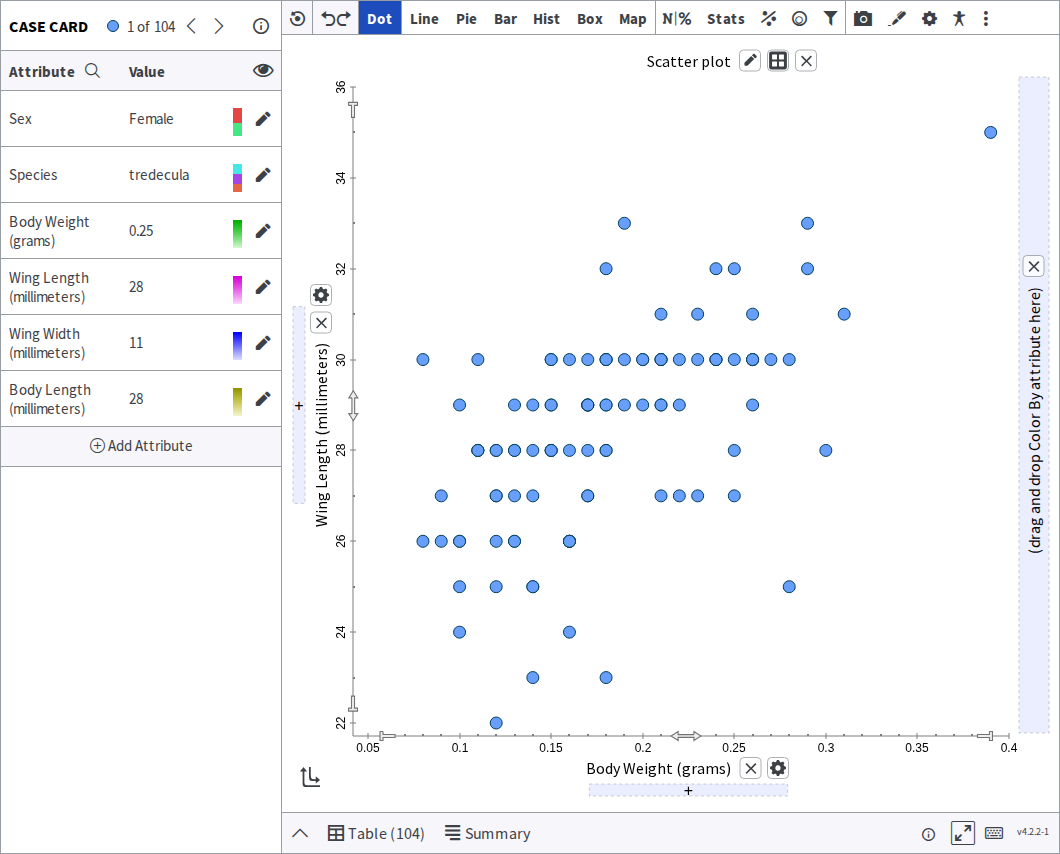
Build the plot you want a picture of.
-
Click the camera icon in the toolbar across the top.

-
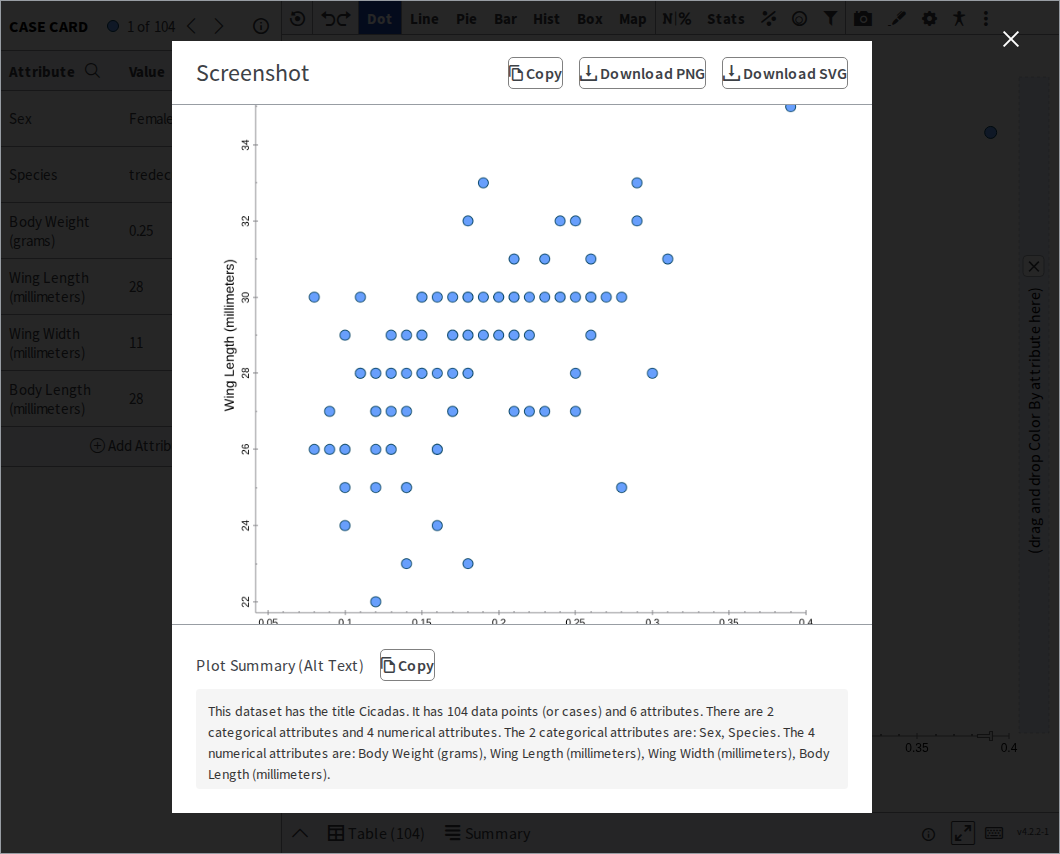
The Screenshot dialog opens with a preview of your plot. Choose how you want it:
- Download PNG — an image file, best for pasting into a document or slide.
- Download SVG — a vector file that stays sharp at any size, for print or for editing in a drawing program.
- Copy — puts the image straight on your clipboard, so you can paste it without saving a file first.
The file lands wherever your browser saves downloads.
Alt text, written for you
Section titled “Alt text, written for you”The dialog also shows a Plot Summary (Alt Text) — a written description of the plot, with its own Copy button. It names the dataset, how many cases it has, and how many of its attributes are categorical and numerical.
Paste it alongside the image wherever you use it. A picture of a graph carries nothing for a student using a screen reader; this is what makes it readable.
Was this page helpful?
This opens the ticket form with your comment and a link to this page, so we can reply to you.
Submit a ticket