
Follow these steps to add the Tuva Application to your Clever Learning Management System:
- If you haven’t already logged in, please sign in to Clever.
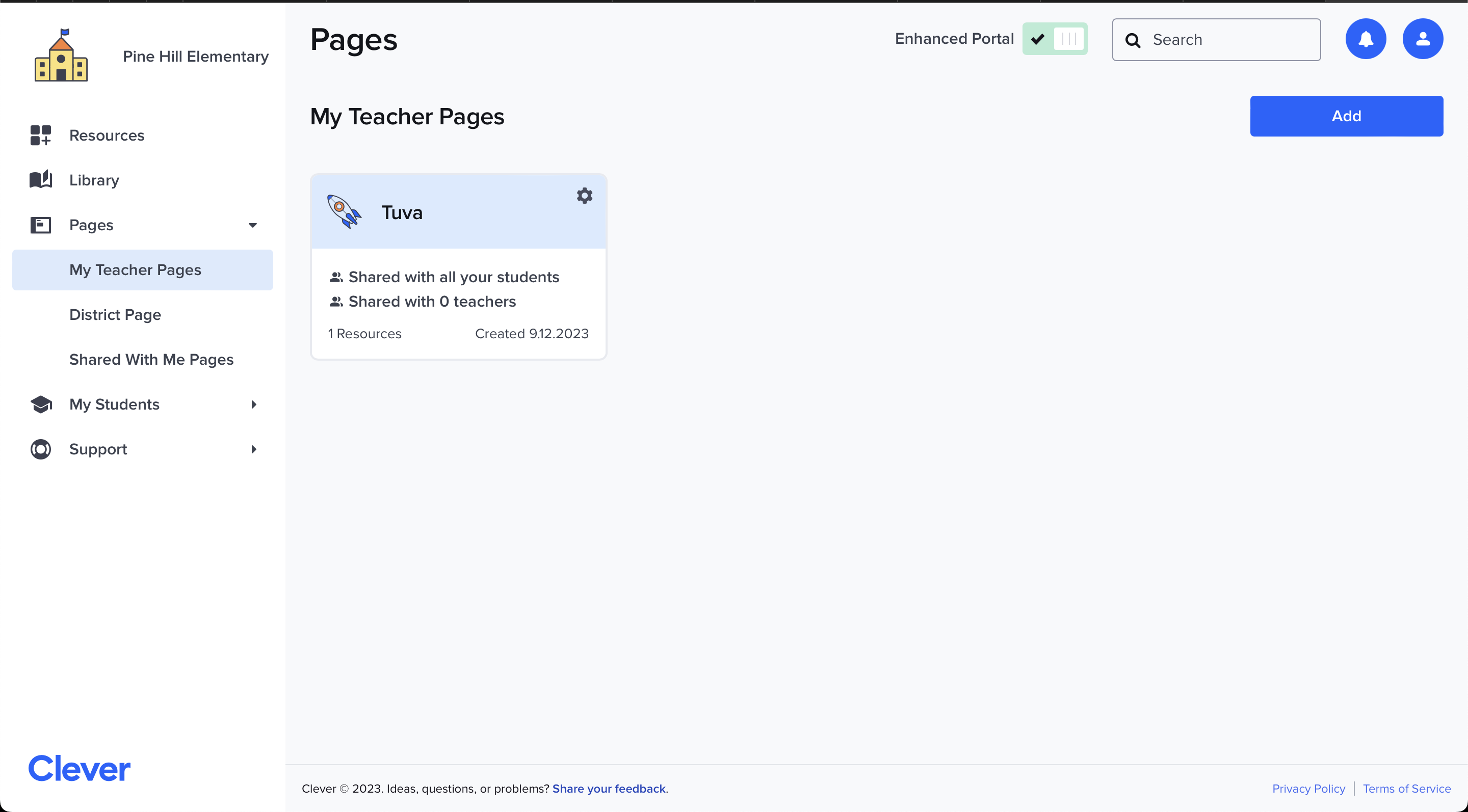
- Navigate to your teacher pages.
- Click on the page you want to add the Tuva App. For this article, we’ve already created a demo Tuva page.
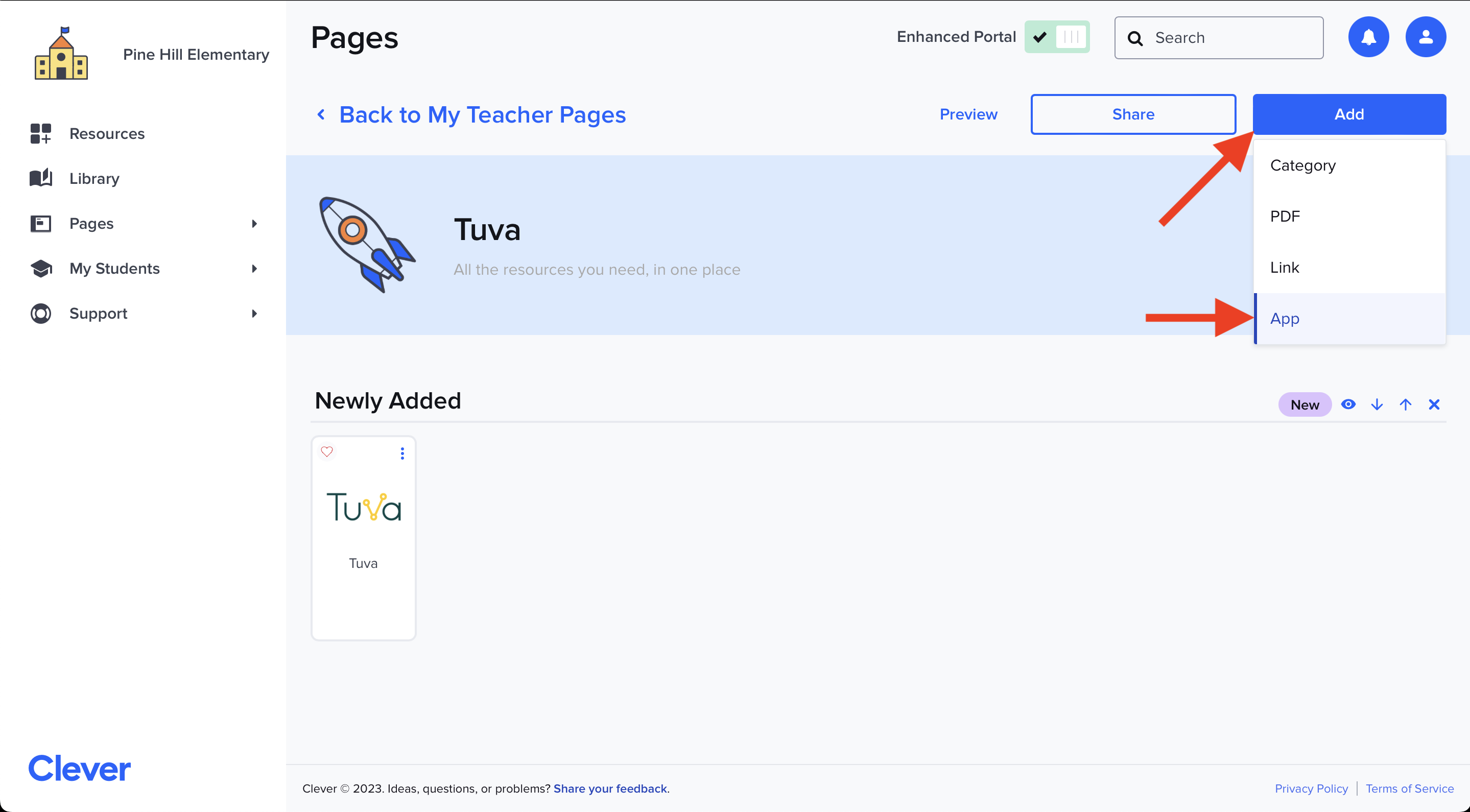
- Once on your page, click Add from the top right corner and from the dropdown menu select App.
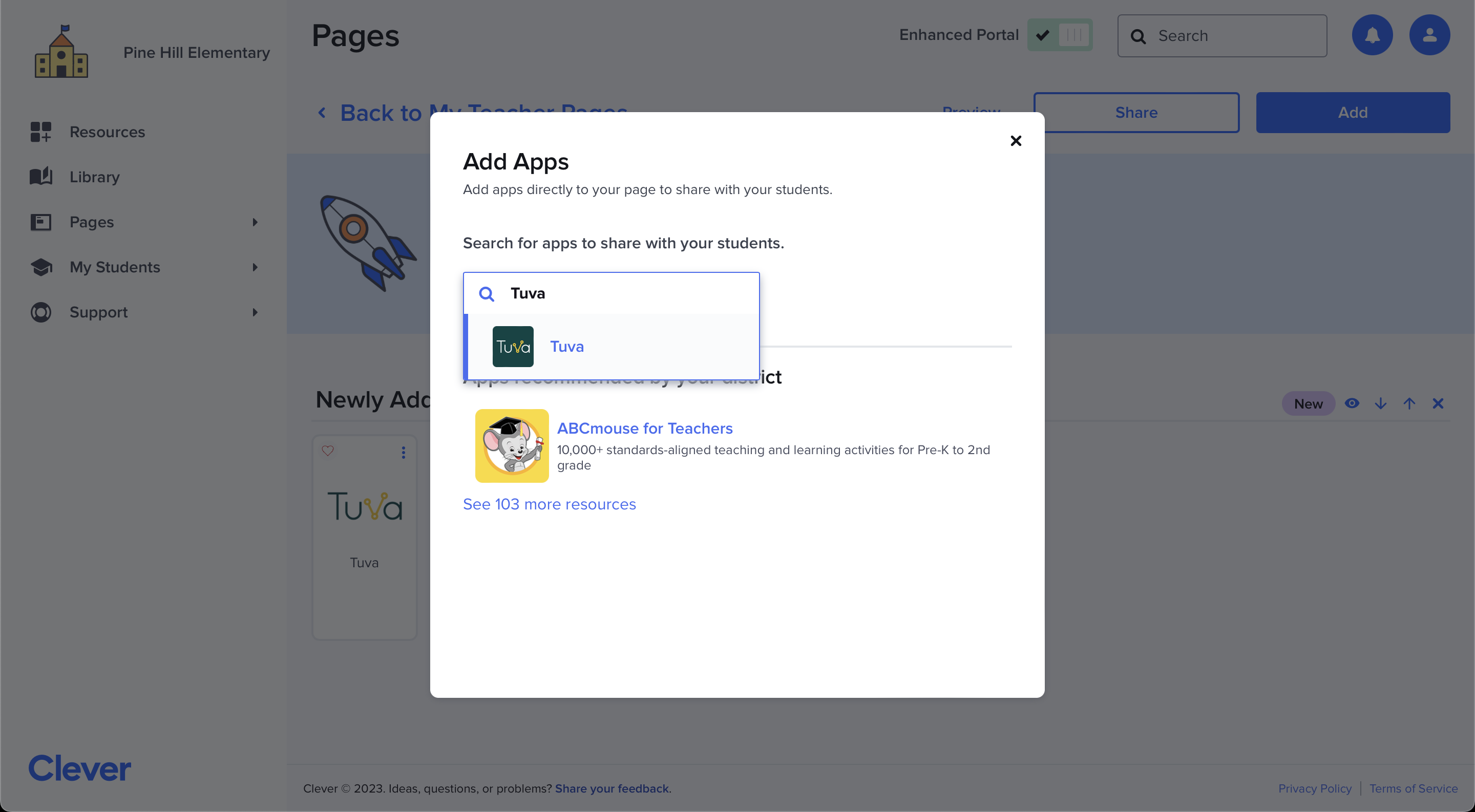
- Search for “Tuva” in the Add Apps pop-up.
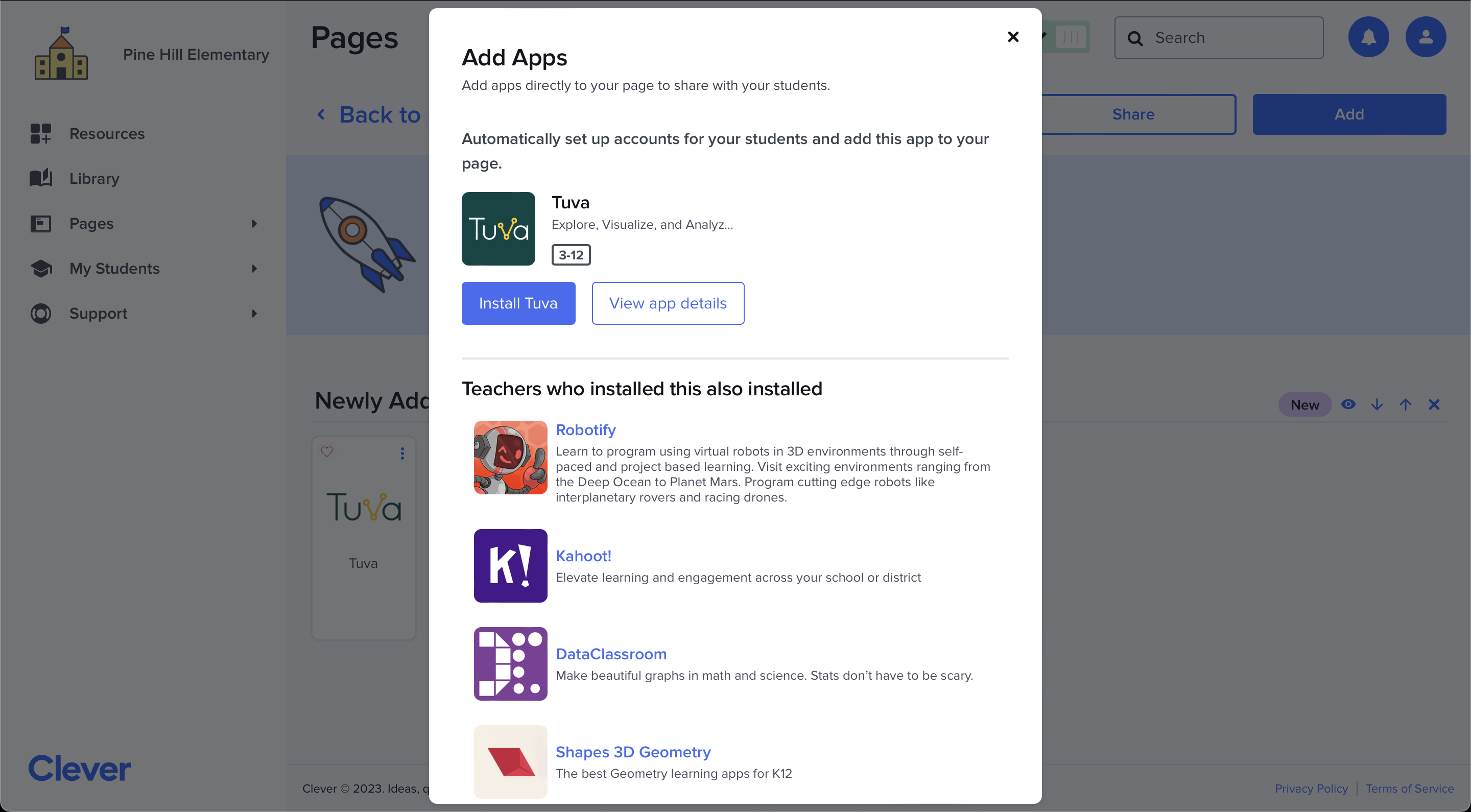
- Then click “Install Tuva” to add Tuva to your page.
- Now when your students or fellow teachers go to your Clever page, they will be able to quickly sign on to Tuva by clicking the Tuva App.
Was this page helpful?
This opens the ticket form with your comment and a link to this page, so we can reply to you.
Submit a ticket