
Are you a student that accidentally created a teacher profile? Or are you a teacher that signed up as a student and want to switch to a teacher profile?
Follow the steps below to learn how to delete your profile and recreate your teacher or student profile.
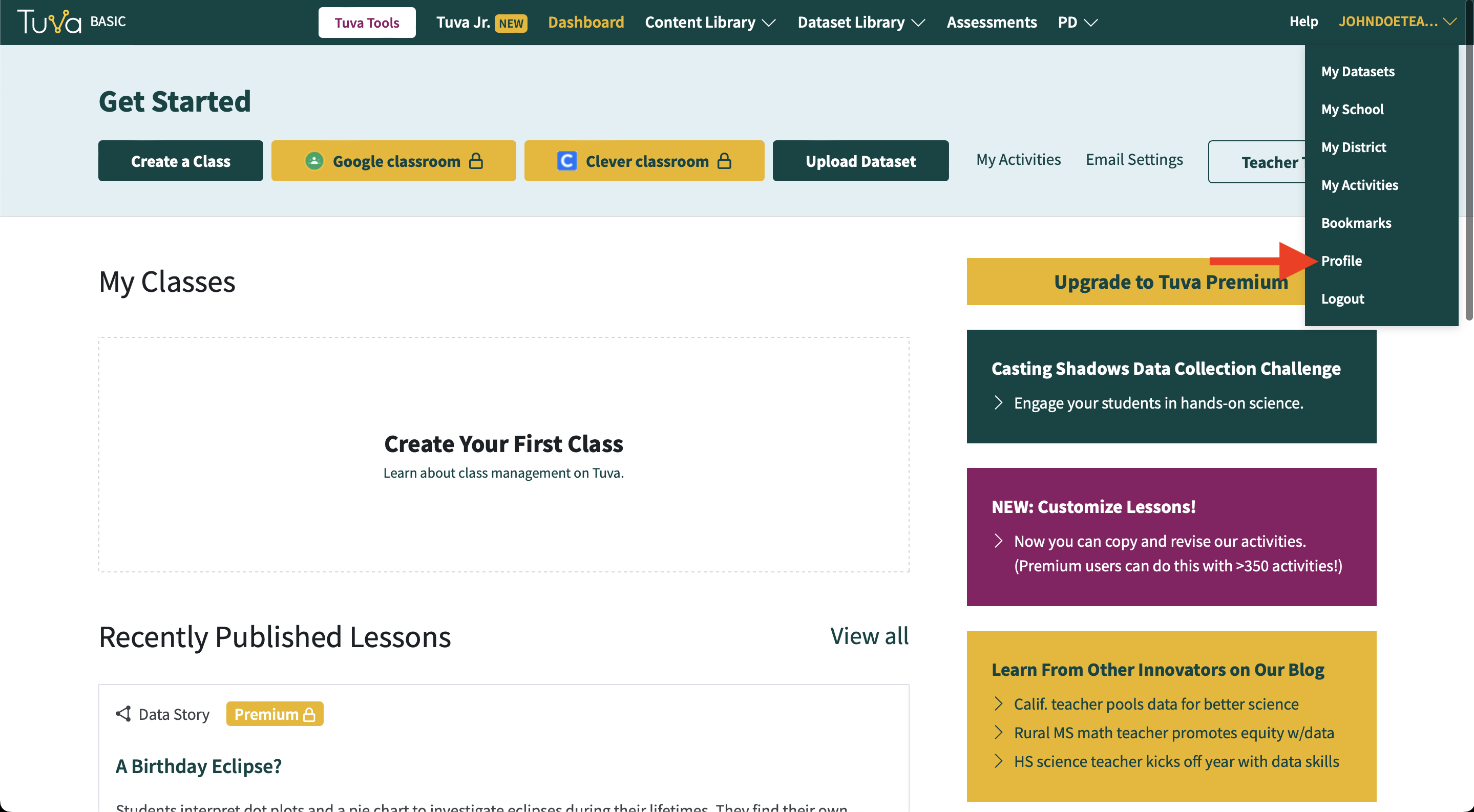
- From any page, hover or click on your username in the top right corner of the screen. Find the menu option called Profile and click it.
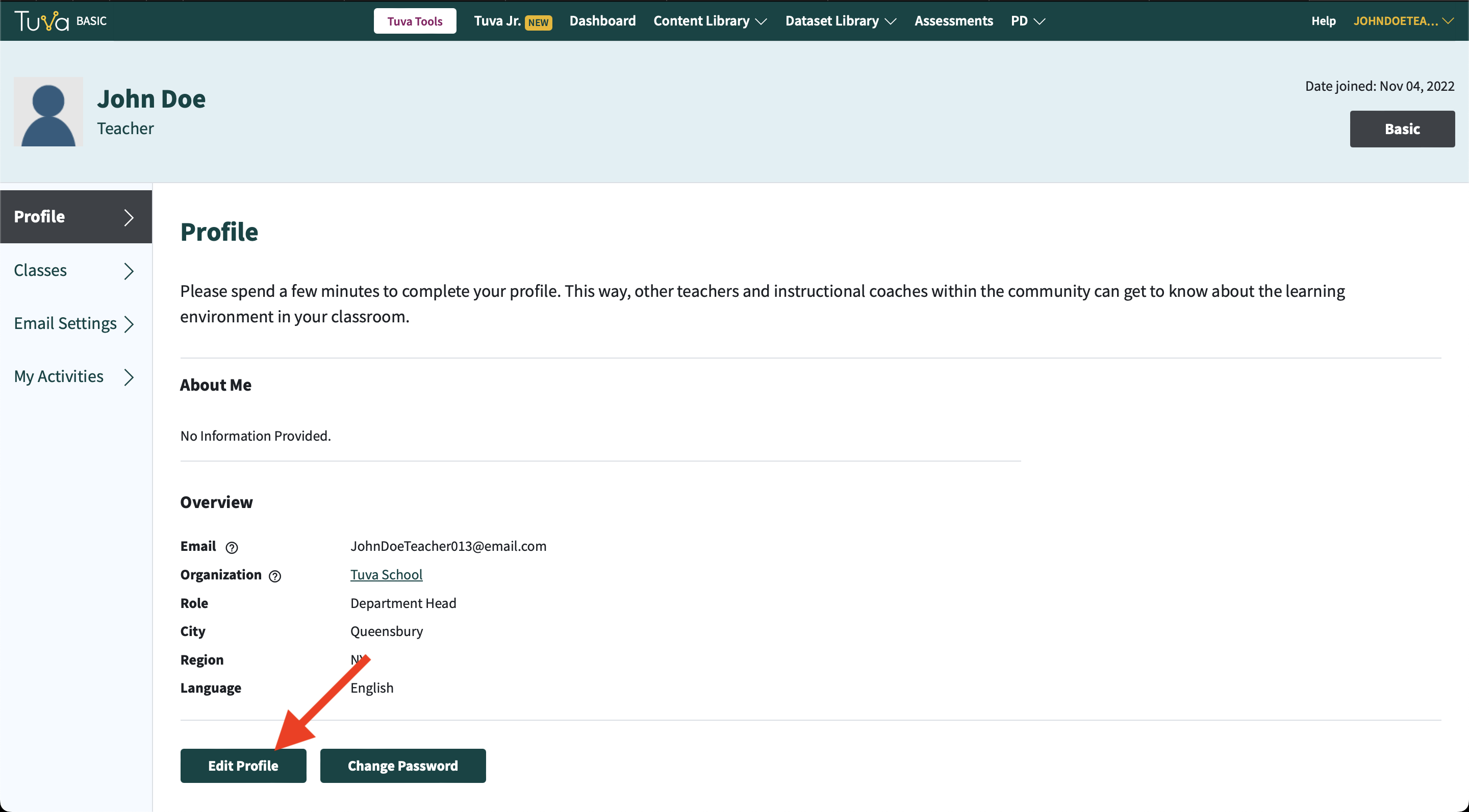
- Once you’re viewing your profile page, click Edit Profile.
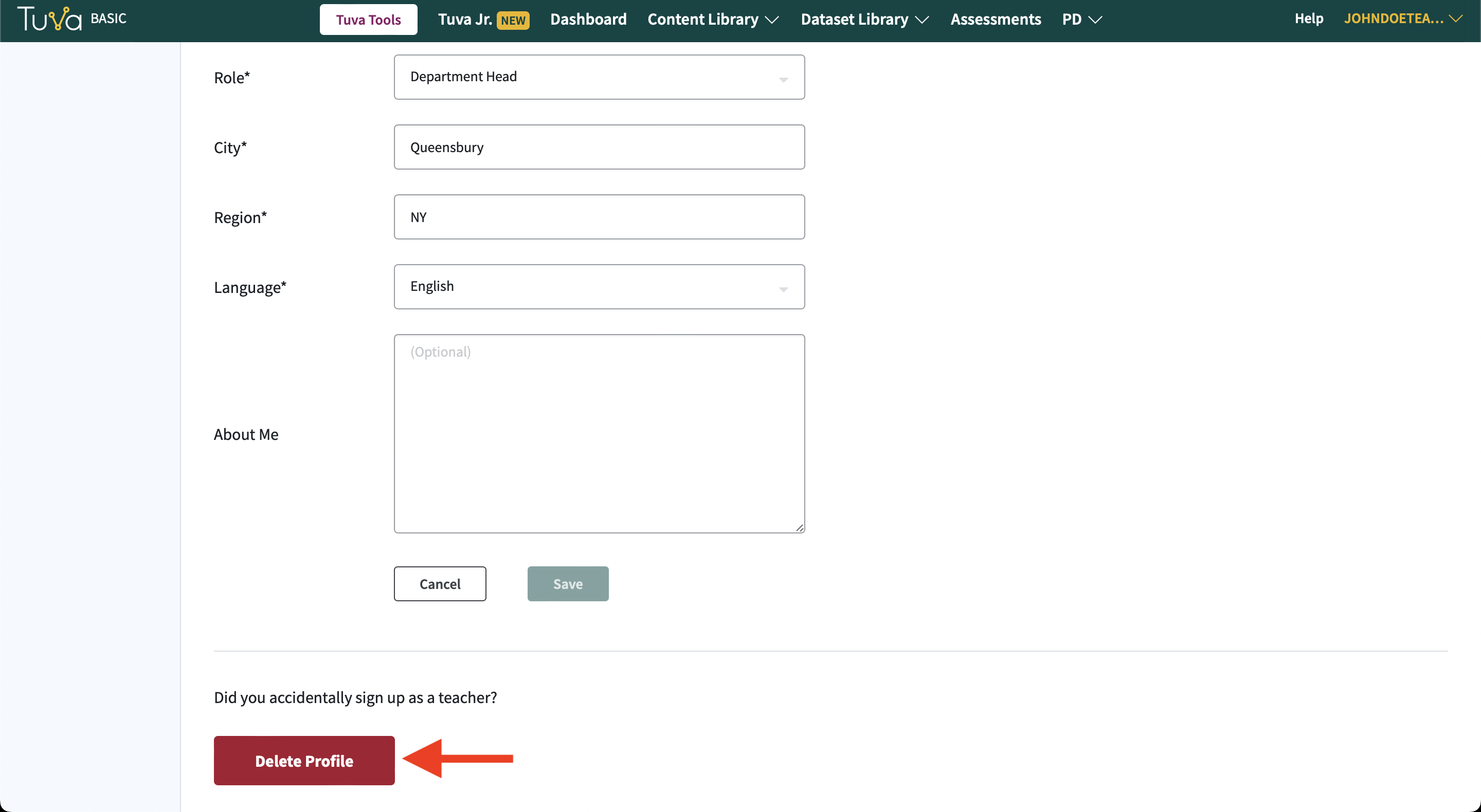
- Then scroll to the bottom of the page and click Delete Profile.
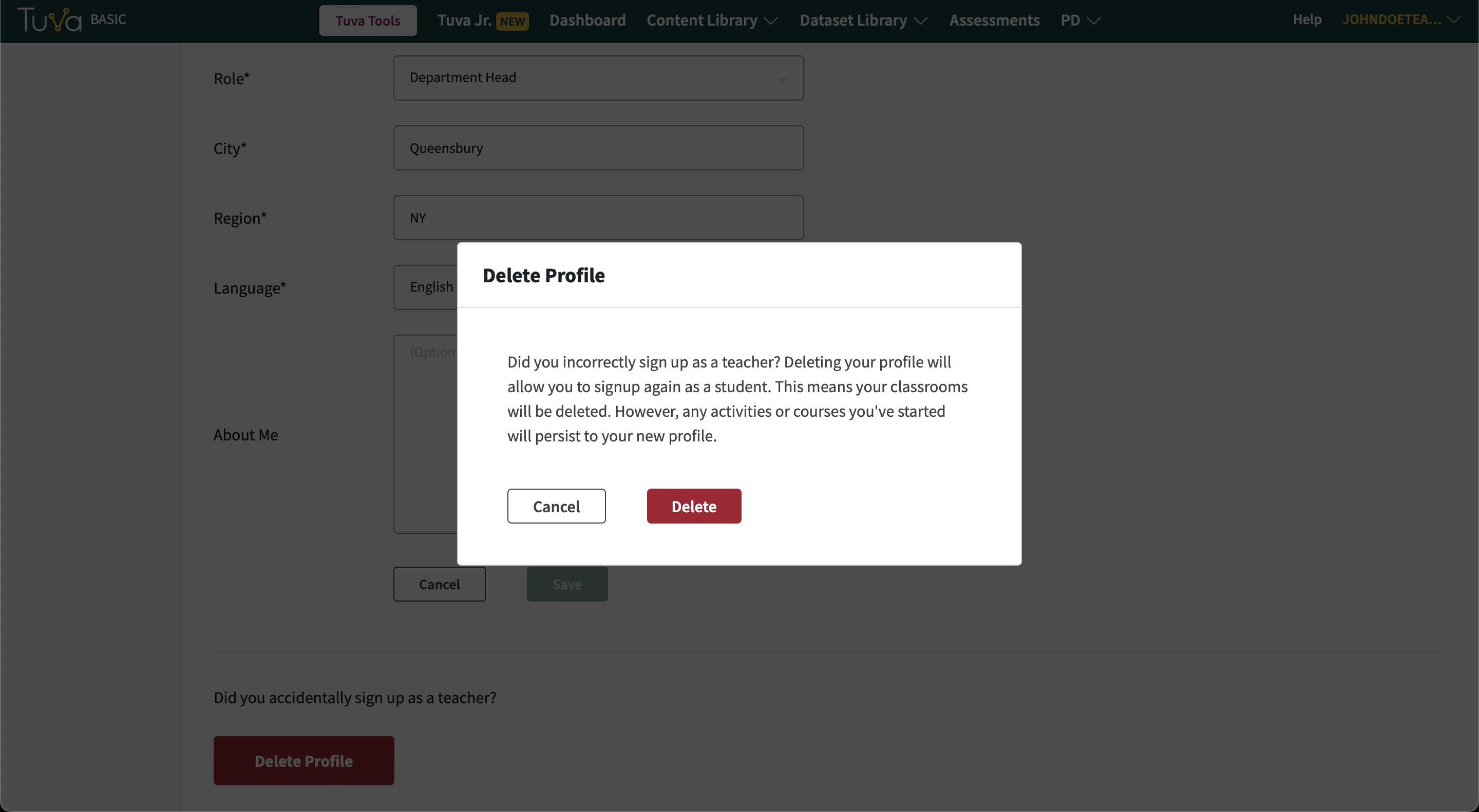
- Finally, confirm you want to delete your profile.
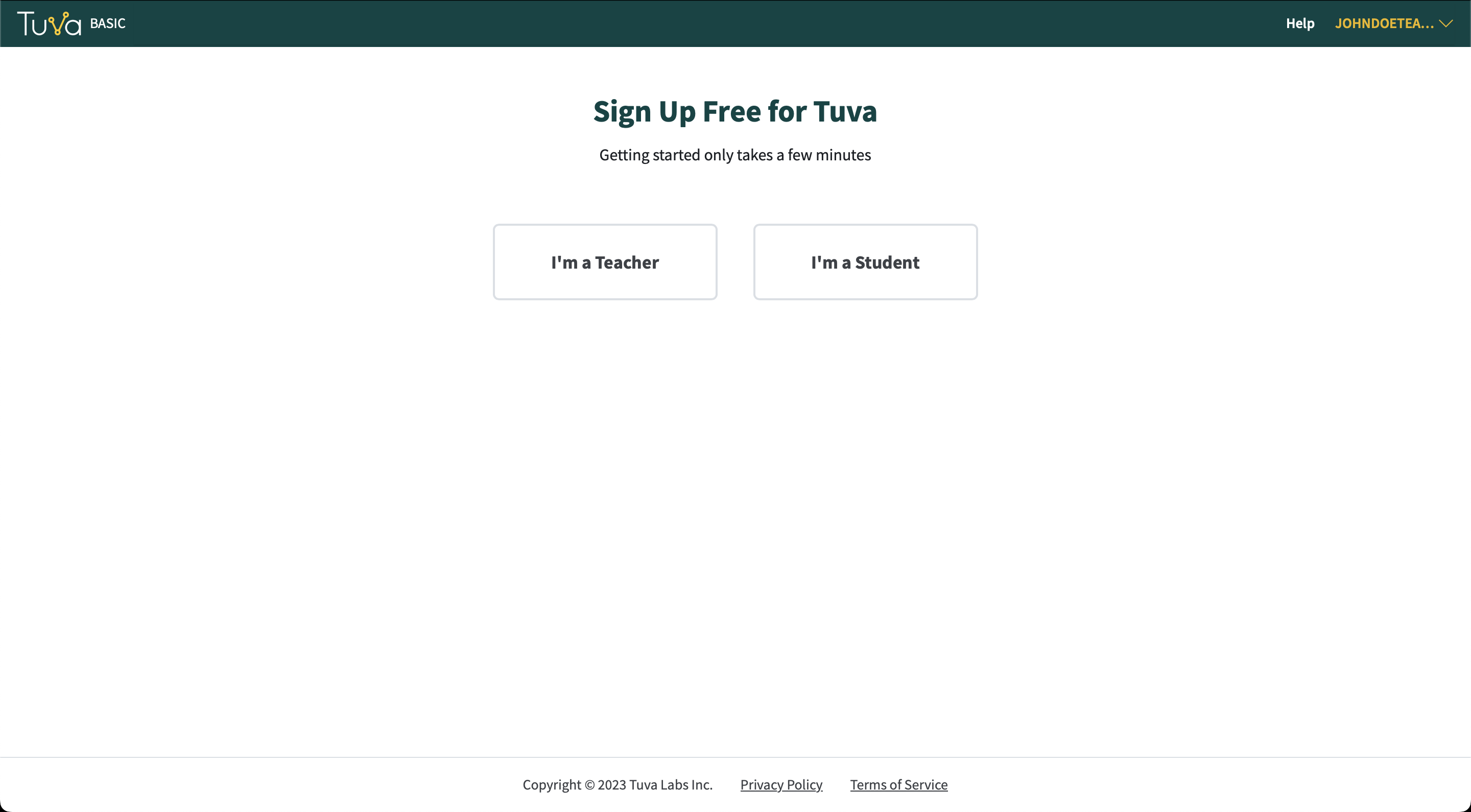
- After your profile is deleted, you will be asked once again if you are a teacher or student and you’ll be able to recreate your Tuva profile.
If your district changed its email domain, do not delete your profile: see Your district changed its email domain.
Was this page helpful?
This opens the ticket form with your comment and a link to this page, so we can reply to you.
Submit a ticket