
After you’ve given an assignment to one of your classrooms, there may be some reason you need to delete it. You can follow the steps below to see how to delete an assignment on Tuva.
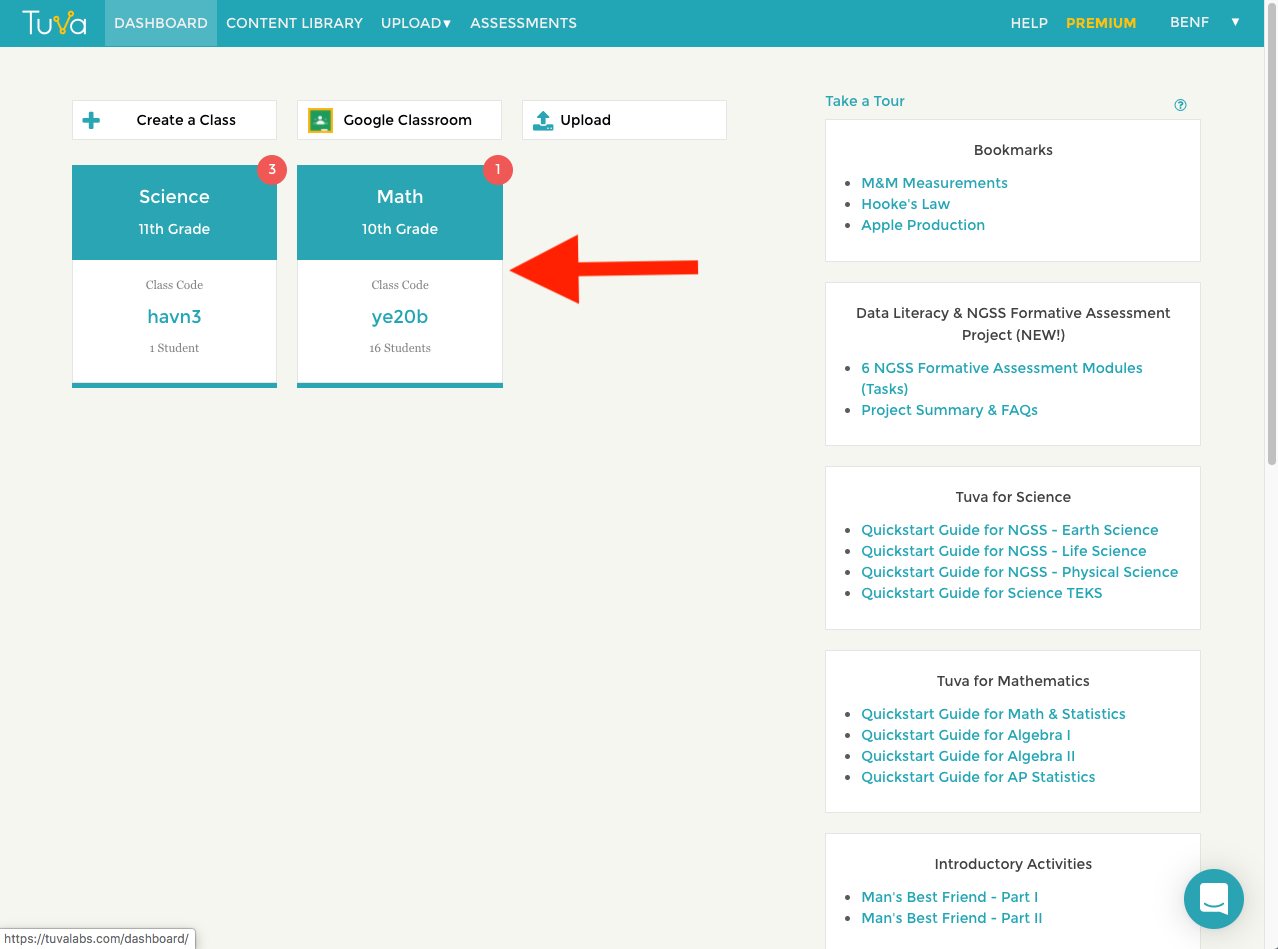
- Click the class containing the assignment you want to delete.
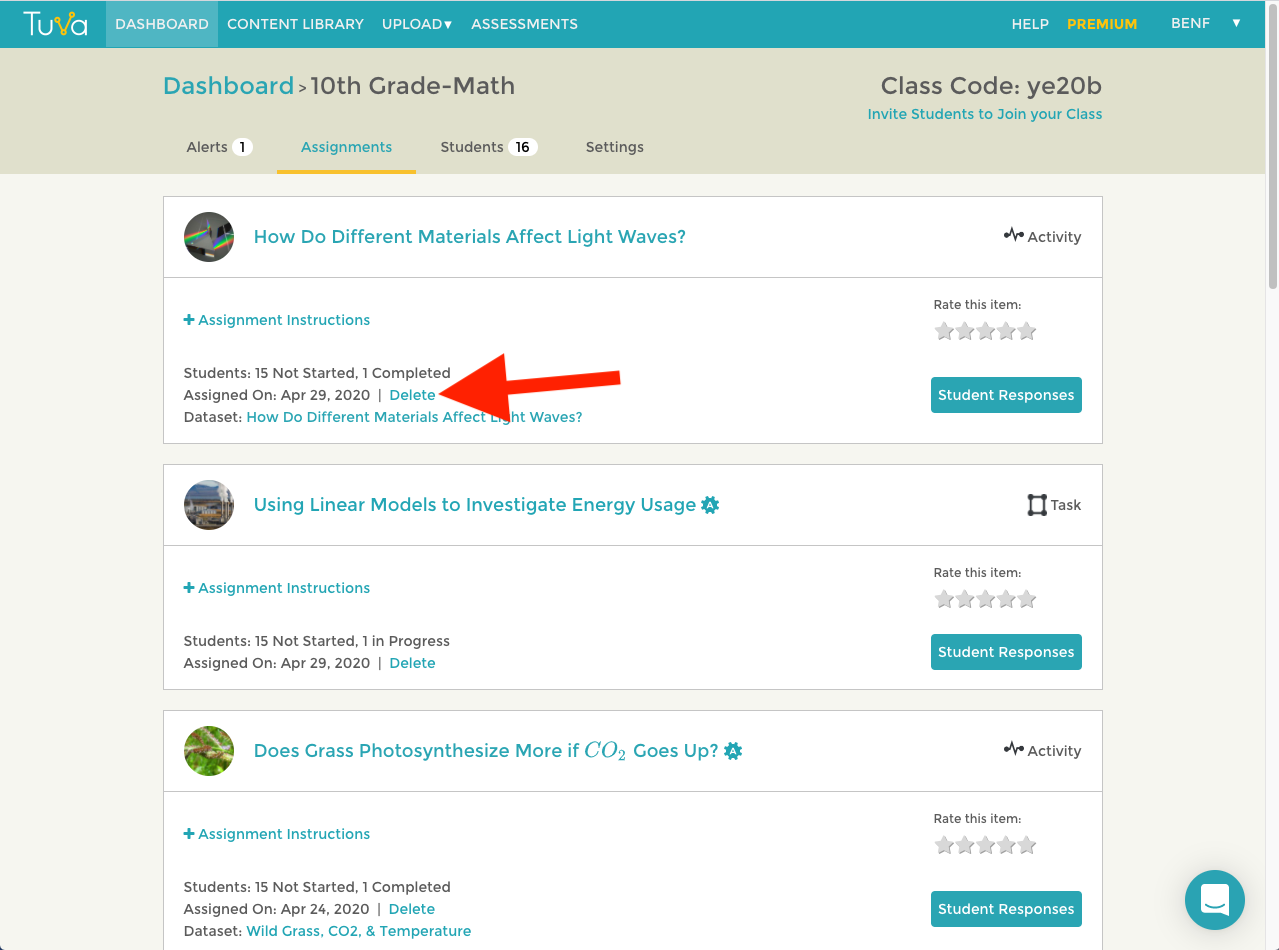
- Find and click the delete button for the assignment. See the screenshot below.
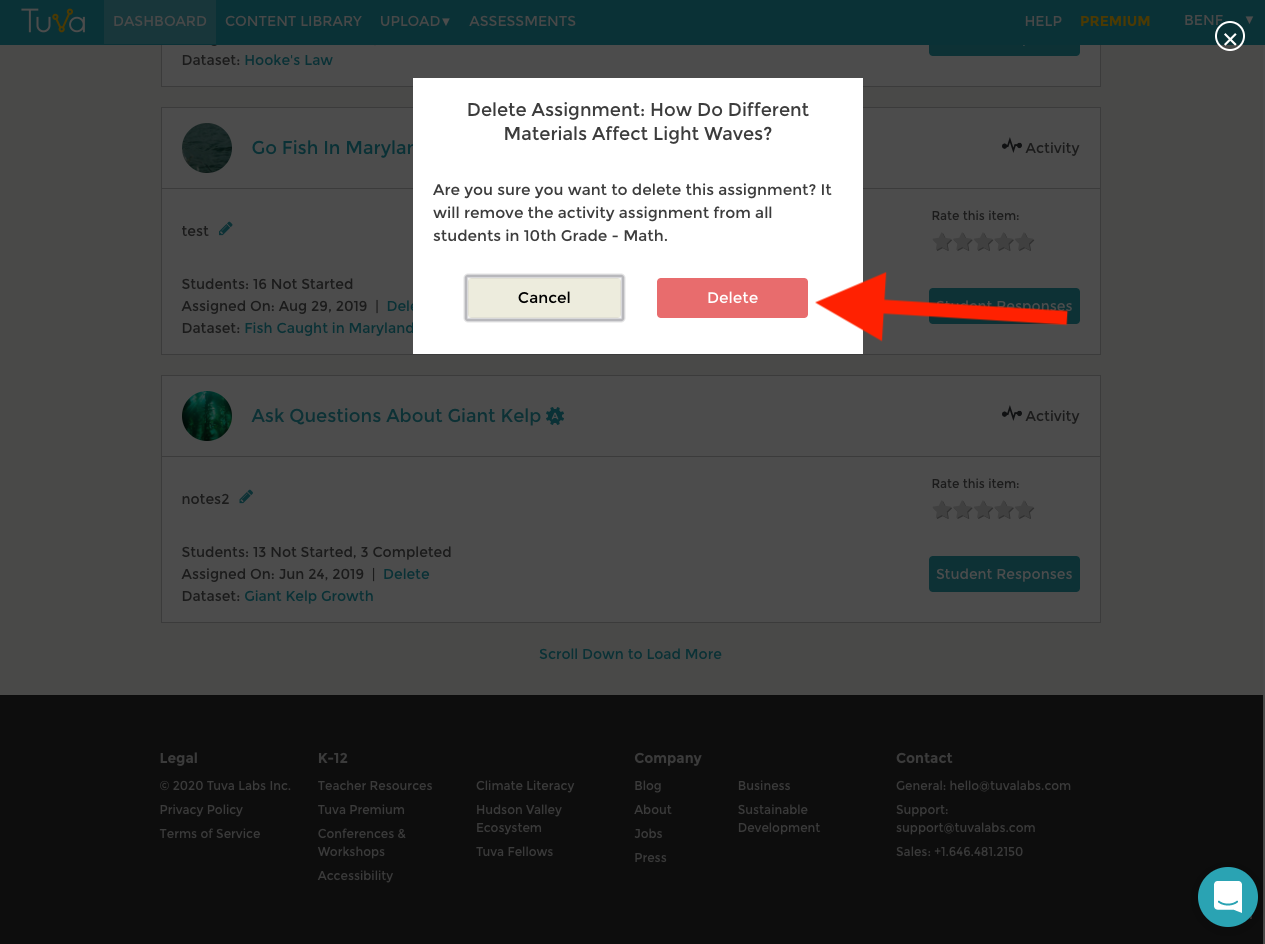
- Confirm you want to delete the assignment by clicking delete one more time. Clicking delete will permanently remove that assignment from all your students in the class.
Was this page helpful?
This opens the ticket form with your comment and a link to this page, so we can reply to you.
Submit a ticket