
After you’ve selected your data, you’ll be presented with a screen allowing you to review, update, and confirm the data you want to import.
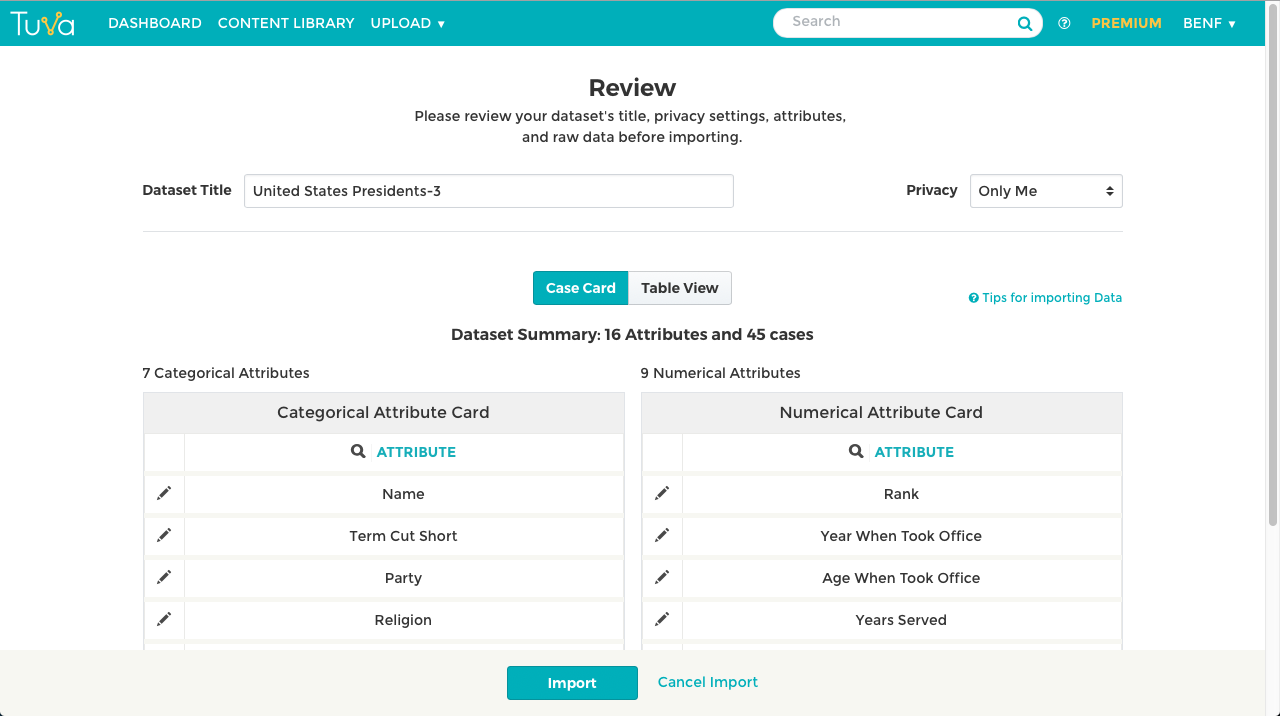
On this review page, you can change the title of your dataset, the privacy settings, and provide a source for your data. You will also be able to look through the different categorical and numerical attributes and update their metadata. You can also take a look at the Table View to see the raw data.
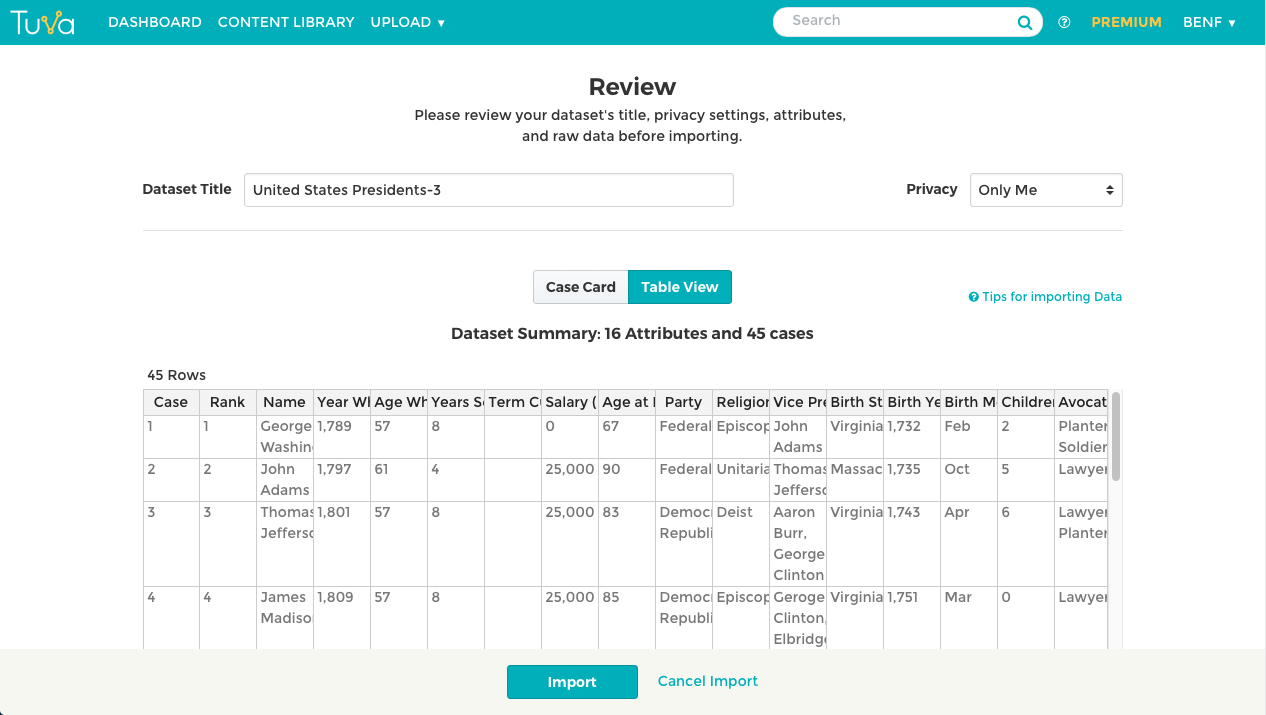
After looking over everything, click import to then begin analysis with the Tuva Data Tools.
Was this page helpful?
This opens the ticket form with your comment and a link to this page, so we can reply to you.
Submit a ticket